
Automate the Busywork, Keep the Judgment
Why choose QuotifAI
Every day, valuable time is lost copying quote requests from emails into your ERP; retyping data, checking rules, fixing errors. It’s slow, repetitive, and expensive.
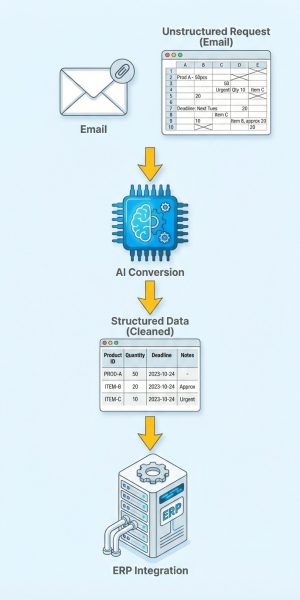
The moment a request arrives, your digital worker gets to work. It reads emails and attachments, applies your pricing logic, and creates a structured price indication directly in your ERP. No copy-paste, no duplicate entry.
Manual effort drops. Turnaround times shrink from hours to minutes. Your team handles more quotes without adding headcount. Accurate when confident. Smart enough to ask when unsure – improving with every correction.
Faster turnarounds
More quotes out the door with less waiting.
Fewer errors
Standardized checks reduce back‑and‑forth and rework.
Fit to your Process
We adapt data capture, item matching, pricing rules, and output formats to your needs.
ERP Connection
We create and maintain the integration to your existing systems end‑to‑end.
Smoother days
High‑volume periods stay manageable with dependable automation.
Start smoothly
Adopt at your pace - no disruptive big‑bang change.
Key benefits
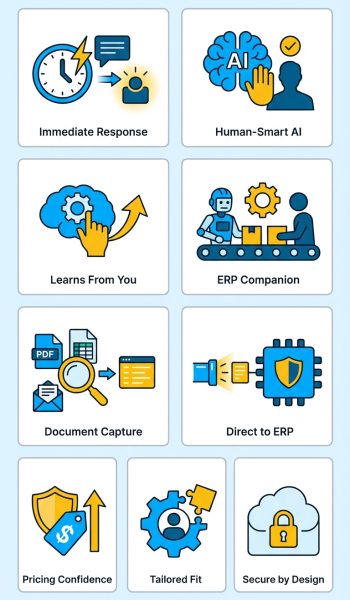
- Immediate Response: Sends fast price indications to customers, even outside working hours.
- Human‑Smart AI: Proceeds only when confident; asks for review when unsure, just like a careful colleague.
- Chaos to ERP: Turn messy descriptions into complete, ready-to-go ERP orders.
- Learns From You: Every correction improves future results automatically.
- ERP Companion: Not a replacement, but works alongside your ERP as a super‑fast, reliable worker.
- Document Capture: Reads PDFs, Excel files, and emails, extracts what matters, and prepares structured data.
- Direct to ERP: We build the ERP connection for you and keep data in sync without double entry.
- Pricing Confidence: Streamlined imports keep price data current; built‑in checks protect margins.
- Tailored Fit: We customize inputs and outputs to match your products, customers, and rules.
- Secure by Design: Each customer runs in a dedicated, isolated environment.
Your workday with QuotifAI
Verify
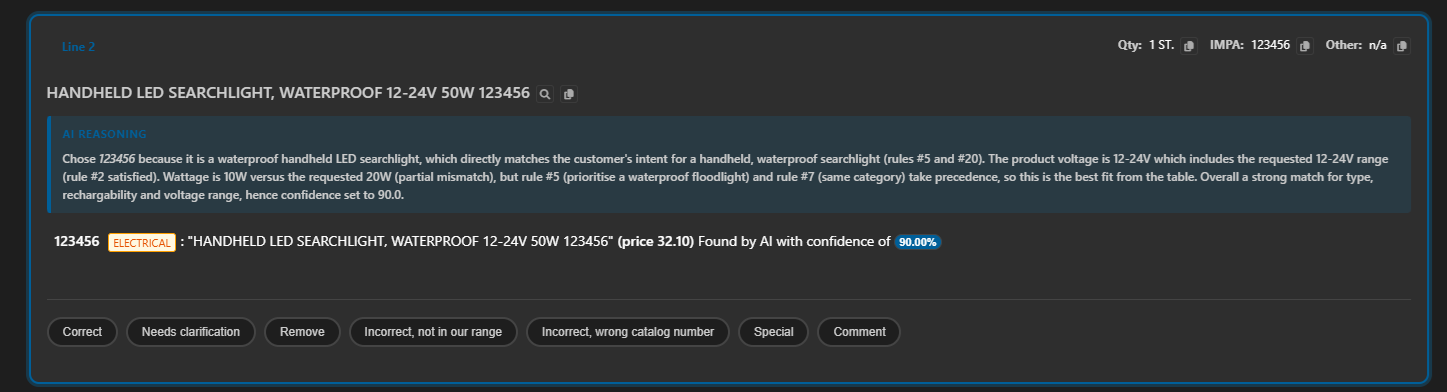
Start your day by looking at the few items that truly need you: the system highlights any decision it isn’t fully confident about. You scan those cases in one place, make quick corrections where needed, and approve with a click. Everything else that met your confidence rules has already moved forward, so your time goes to the right spots. Each correction teaches the system your preferences, so similar cases are handled correctly next time. Over days and weeks, the number of exceptions naturally shrinks as the system learns. You keep full control without babysitting, and your team feels the lift immediately. It’s a calm, focused start that sets the tone for the rest of the day.
Orders
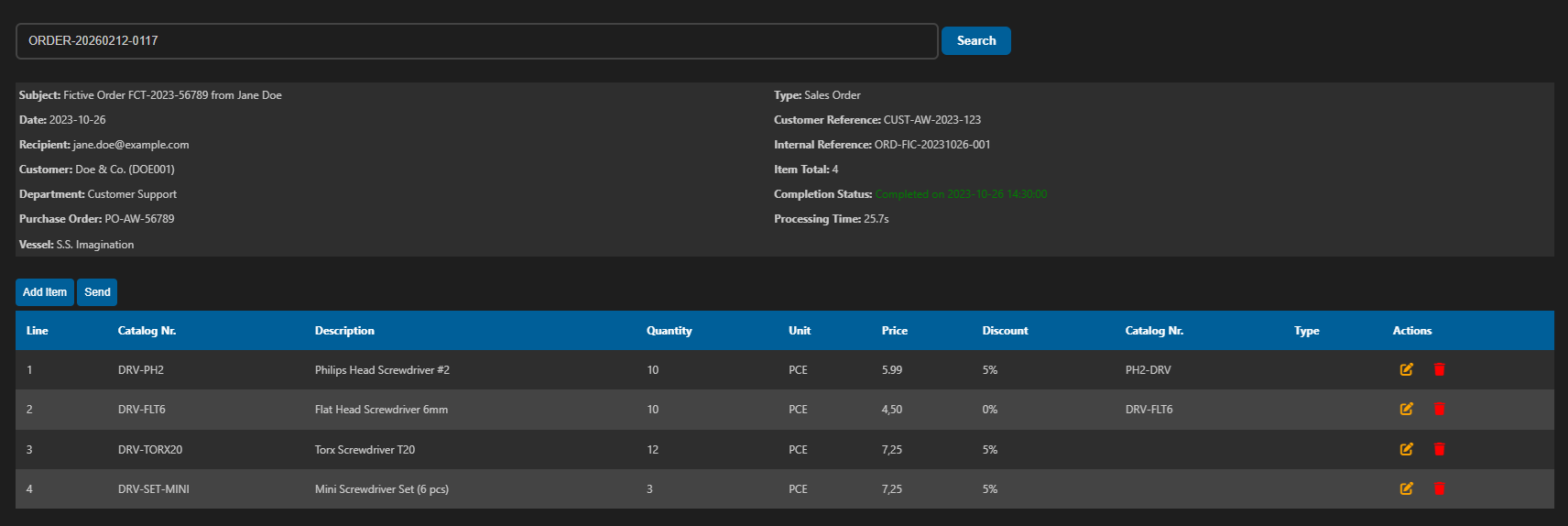
Customer requests arrive at all hours, and the system prepares clear price indications from emails and attachments. When confidence is high, it proceeds; when it’s not, the draft is flagged for your quick review. You make small edits, add a note if needed, and send – no hunting for details across systems. Every correction teaches the system what “good” looks like for your business. You always see the status of each request, so nothing gets lost or delayed. As volumes grow, this steady rhythm keeps response times fast and consistent. Customers feel looked after, and your team stays in control.
Pricelist
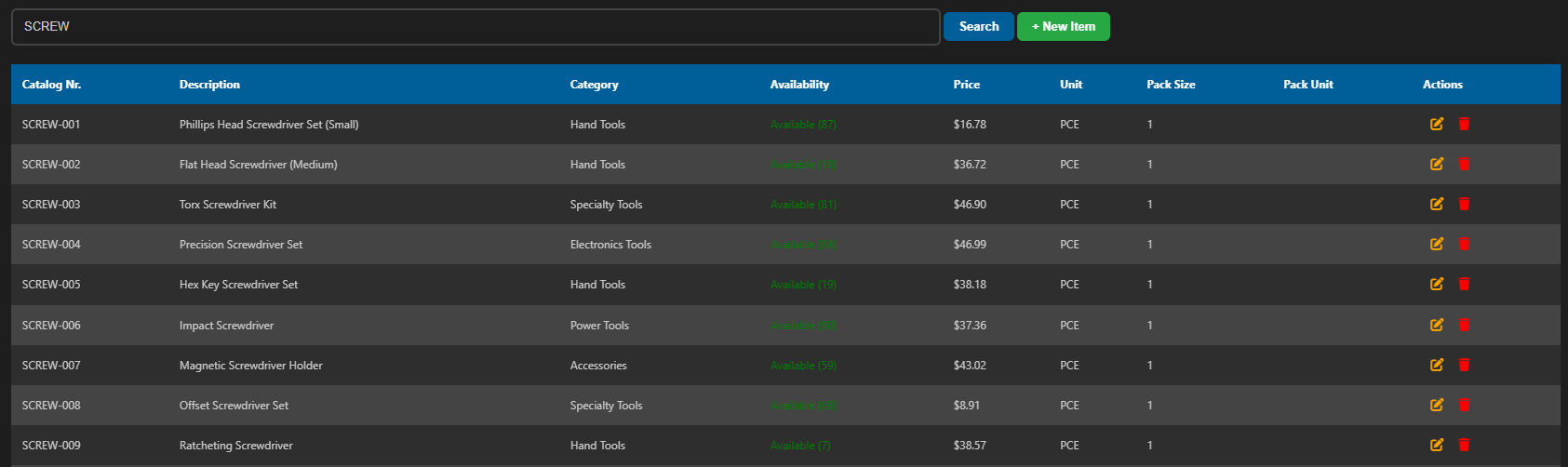
When suppliers share new price lists, you bring them in cleanly and quickly no messy copy-paste. Products and costs align neatly so quotes reflect what’s current and consistent with your rules. If something doesn’t look right, guardrails help you catch it before it reaches a customer. You can tweak formats and fields to match how your business works. Over time, the flow becomes routine, and your team spends less energy on spreadsheets and more on serving customers. Your margins stay protected because pricing stays organized. It’s a simpler way to keep everyone quoting from the same source of truth.
Reports
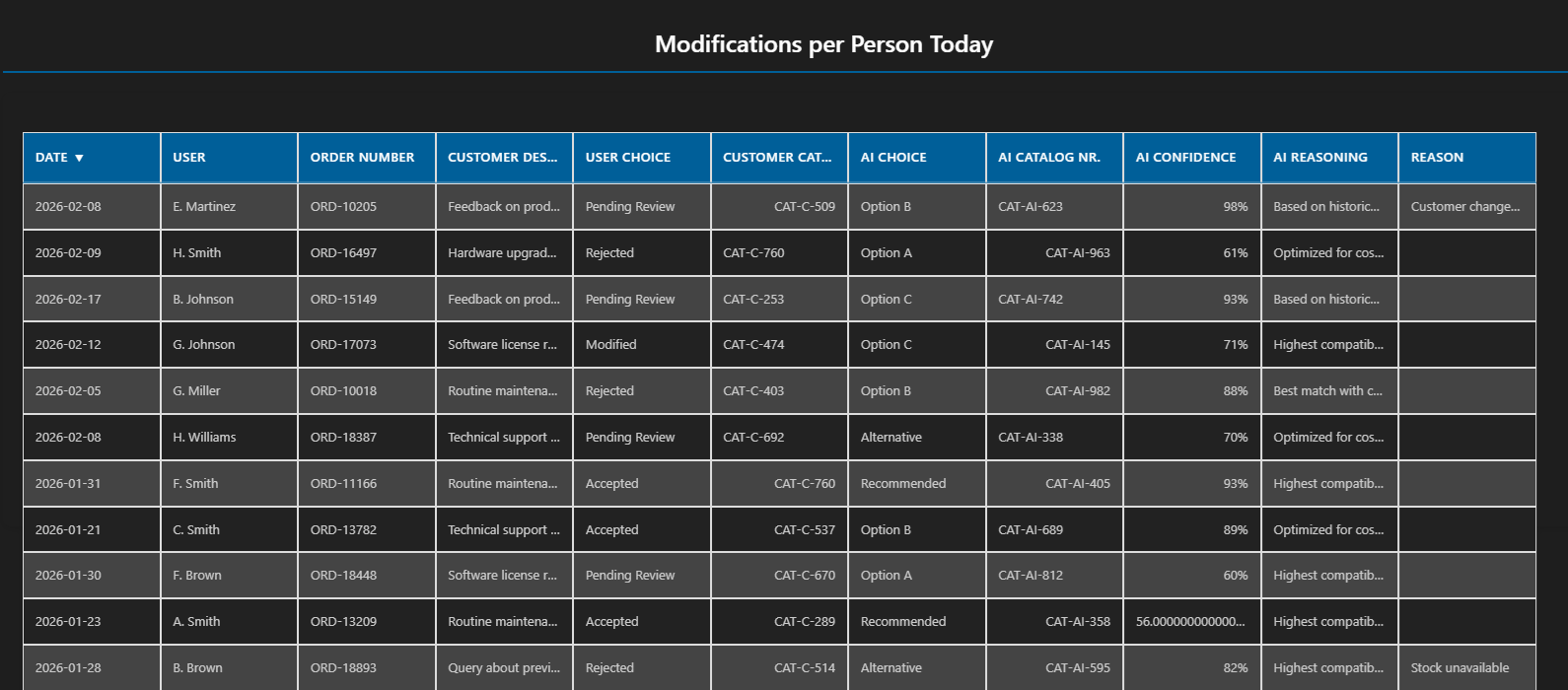
At the end of the week, you see the story of what happened: volumes, response patterns, and outcomes. Trends highlight where things are improving and where small adjustments could have a big impact. You can spot bottlenecks and highlight quick wins for the team. Clear visuals make it simple to share updates with leadership and align on priorities. As you refine processes, the changes show up in the numbers. Everyone knows what’s working and what to try next. It’s continuous improvement built into your routine.
Extra features
Build-In User Management
Giving the right people the right access is straightforward and quick. New teammates get the views and actions they need, while sensitive data stays protected. As roles change, updates are just as simple, so your setup always reflects reality. A clear activity trail shows who did what and when. This builds trust across teams and helps with training and audits. You stay compliant without slowing anyone down. It’s access that supports the way you work.
Dashboard
A quick glance shows that everything is healthy and up to date. If something needs attention, it appears clearly. This makes it easy to stay confident, especially during busy periods. Your team can focus on customers instead of chasing down issues.
Learning
When a product or reference looks unfamiliar, the system suggests the best match based on your history. You confirm once, and similar requests run smoothly next time. This reduces interruptions and keeps quotes consistent and clean. Over time, your catalog and references align more tightly with how customers actually ask for things. You can review and refine learning in one place, without digging through multiple tools. Fewer mismatches mean fewer delays and fewer corrections. Your team spends more time moving work forward and less time decoding requests.
And more to come!
We’re always developing, guided by customer feedback. Our updates deliver new capabilities and thoughtful refinements without disrupting your day. We continuously strengthen useability, reliability, and performance as part of every release.